A word. A phrase. A whole line.
Click a Spanish word for its English meaning. Shift-click to select a phrase, or translate the full subtitle when the sentence needs more context.
PinSpanish for YouTube
Real videos. Real Spanish. Click a subtitle for the English meaning, save a useful word, and get back to the story.
For desktop Chrome 138+ · Videos with Spanish captions
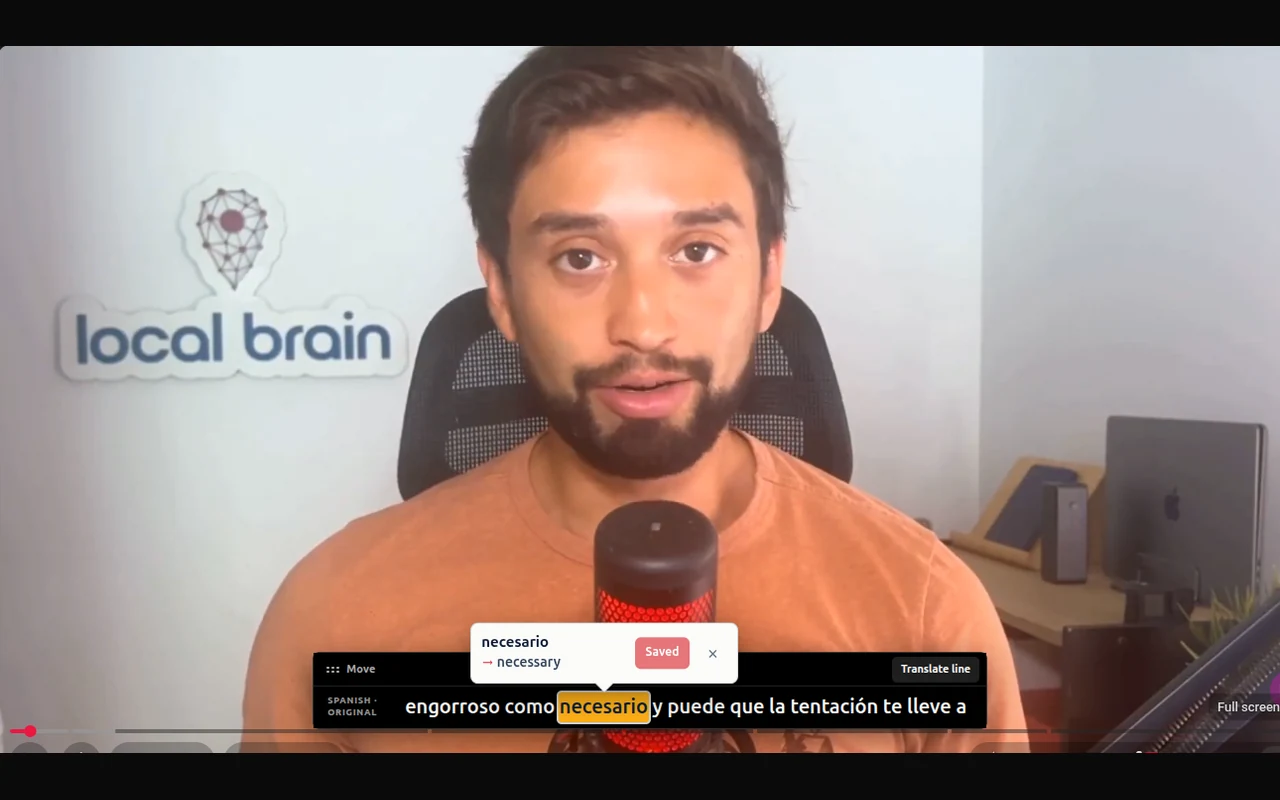
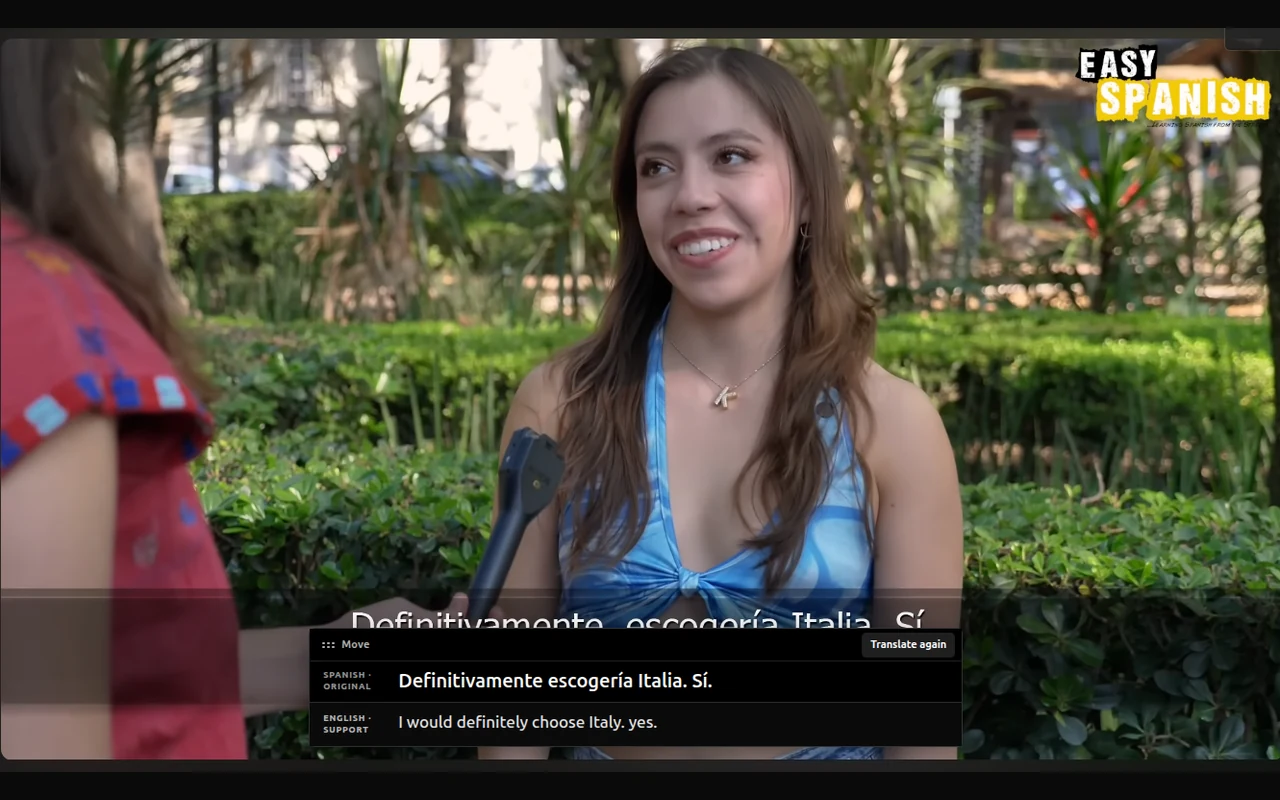
Spanish stays in focus. You decide when to ask for English.
Stay with the Spanish
Keep the video, the sentence, and the meaning together. Get just enough help to keep going.
Click a Spanish word for its English meaning. Shift-click to select a phrase, or translate the full subtitle when the sentence needs more context.
Keep useful vocabulary with the original subtitle and a link to that moment in the video. Revisit what you learned in “Saved Spanish.”
Saved words light up in yellow when they appear in later subtitles. Recognize them in a new sentence and check the meaning you already saved.
From watching to understanding
Choose a creator, a topic, or a conversation you actually want to follow. PinSpanish adds the language support.
Install from the Chrome Web Store, then pin the extension to your toolbar for easy access.
Open a YouTube video with Spanish captions. Turn on English support in PinSpanish and complete Chrome’s language download if prompted.
Click unfamiliar words, translate a line when you need it, and save the expressions you want to remember.
First time? Chrome may need to download its Spanish–English language package. Choose Start translation inside the video when prompted.
atreverse
to dare
“A veces hay que atreverse a probar algo nuevo.”Sometimes you have to dare to try something new.
Words come with a story
A word list gives you a meaning. A video gives you a voice, a situation, and a reason to remember. Save them together.
A quieter kind of extension
Translation uses Chrome’s built-in translator. Your vocabulary stays in your browser. The extension has no accounts, ads, analytics, or trackers.
Saved words belong to this Chrome profile. They aren’t synced or exported, and removing the extension deletes them.
Before you start
Made for English speakers learning Spanish, with a focused set of tools and clear limits.
YouTube videos that offer a Spanish caption track. PinSpanish prefers creator-written captions and can also use YouTube’s auto-generated Spanish captions. It cannot create captions for videos that have none, and automatic captions may contain errors.
PinSpanish requires desktop Google Chrome 138 or newer with Chrome’s built-in translation available. Mobile Chrome is not supported. Translation may also be unavailable if an organization has disabled Chrome’s built-in AI features.
PinSpanish uses Chrome’s built-in Spanish-to-English translator. On first use, Chrome may need to download its language package. Turn on English support, then choose “Start translation” inside the video. You’ll need an internet connection and enough free storage for this setup.
You choose when to use English. Click a word for its meaning, Shift-click another word to select a phrase, or choose “Translate line” for the full subtitle. You can hide line translations in the extension settings and keep individual word meanings available.
In the Chrome profile where you save them. Open “Saved Spanish” from the extension to review words, phrases, and links back to their video moments. They do not sync with the PinSpanish website or other devices. Export is not currently available; uninstalling the extension or clearing its data removes your saved vocabulary.
Neither. You can use PinSpanish without signing up or providing an API key. The extension uses Chrome’s built-in translation and does not send subtitles to a third-party translation provider. It has no ads, analytics, or trackers.